
Online audio mastering
Upload your track, choose a profile, then pay to create a downloadable master. Compare the result with your original before downloading.
DROP YOUR AUDIO FILE
or click to choose a file
WAV, MP3, AIFF, or FLAC · Limits are checked before processing. Nothing is used for model training — see our privacy notice.
- Uploading
- Analyzing
- Ready
Analyzing — measuring loudness, true peak, dynamics, and frequency balance…
Review input measurements
Your mix, at a glance.
Track waveform
Frequency balance
Average frequency spectrum
Reanalyze your track to generate its spectrum.
How to read the spectrum
Time-averaged FFT power across both channels. Frequency runs logarithmically from 20 Hz to 20 kHz; 0 dB is this curve’s highest point, not absolute loudness. Bass, midrange and high-frequency peaks show tonal balance. This does not diagnose masking between instruments or guarantee mix quality.
Energy by frequency band
Stereo field · advanced
Stereo field
Whole-track overviewSelect an audio file to see its stereo field. Saved measurements alone cannot recreate this image.
How to read this image
A narrow vertical image indicates similar channels. A wider cloud shows more stereo difference; points beyond the L/R diagonals can indicate phase cancellation. Listen in mono as well. Sampled across the track, with a shared visual gain for both axes.
Mix insights
About these measurements
A note on what this is: these are measurements, and the explanations above only describe what was actually measured — nothing here is invented or guessed. Automated mastering (below) is a fast, measurement-driven starting point; it's not a substitute for a mastering engineer's judgment, and we don't market it as one.
1. Choose your sound
€7.99 per master (1 credit with credits) — one price for any profile below.
Balanced
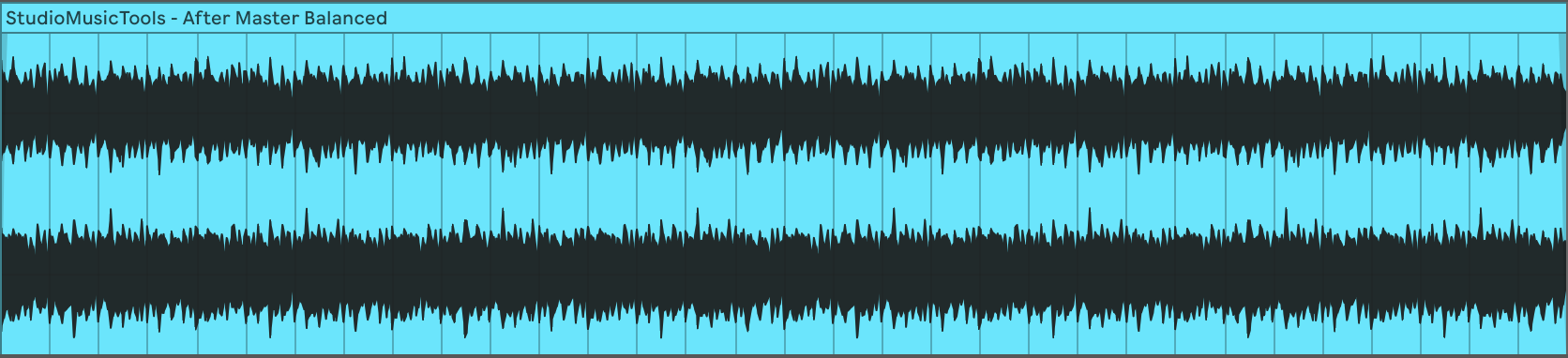
Preserves dynamics and character. A gentle, transparent master for genres where dynamic range matters as much as loudness.
Loud Electronic
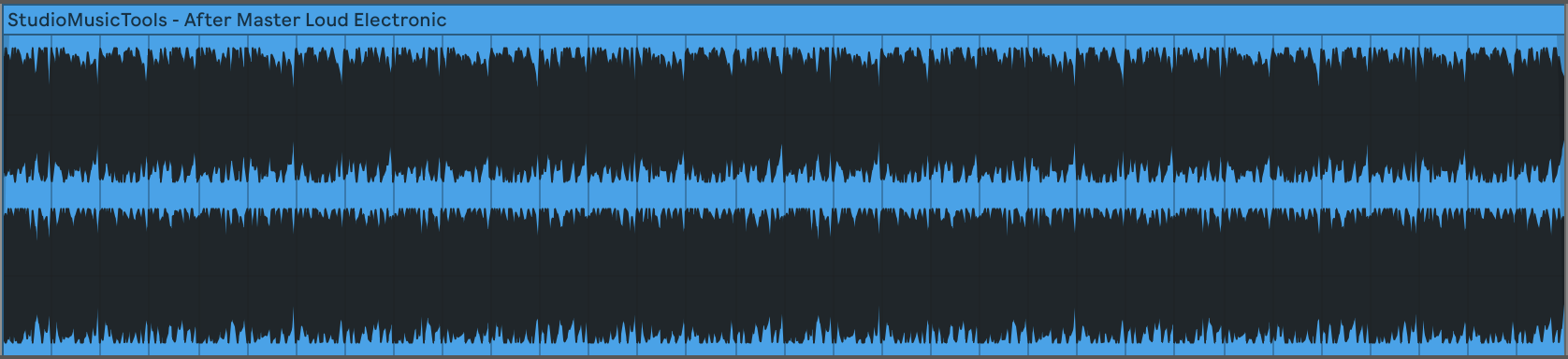
Higher perceived loudness within bounded, measured limits — for electronic and dance material where competitive loudness is part of the sound.
Streaming
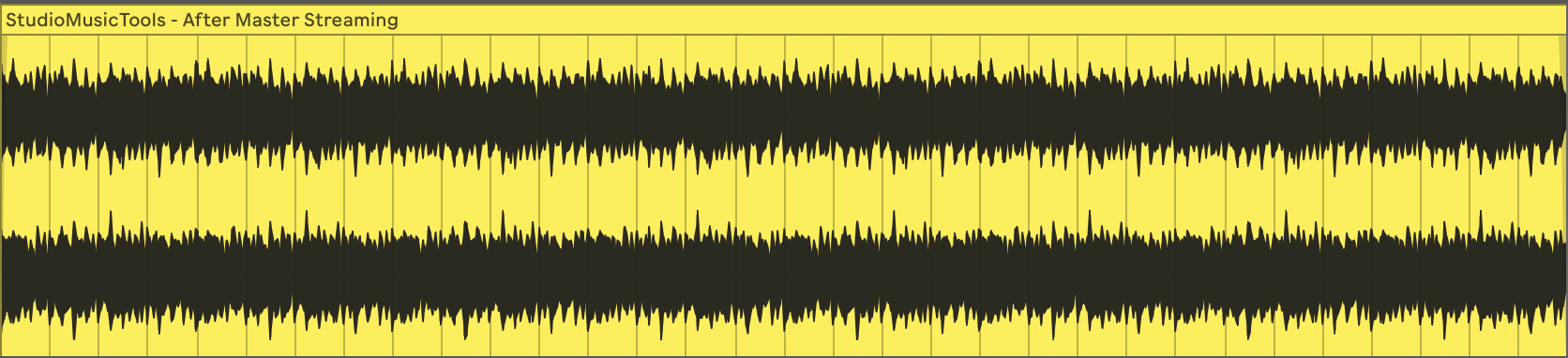
Controlled loudness and true-peak headroom as a mastering preference, not a platform requirement — streaming services don't mandate one exact LUFS target.
Spotify · Apple Music · YouTube
2. Pay & download
How do you want to pay?
Sign in to pay with credits instead, or buy a credit pack.
For your receipt and mastered-file download link.
Prefer to master against a reference? Upload a reference track and match its broad tonal balance and loudness.
Master to a ReferenceMaster your music online with Adaptive Mastering
Start with a finished mix, choose the sound you want, and create a master without installing a plugin. Adaptive Mastering costs €7.99 per master. Analysis is free; payment is required to process the master.
See a real SMT mastering example · original + three profiles
Waveform screenshots supplied by Studio Music Tools from one track processed with each profile. Display scales and image sizes can differ; a larger waveform alone does not establish better sound. These are visual examples, not audio previews.

Which mastering profile should I choose?
Balanced keeps dynamics and character in focus. Loud Electronic targets higher perceived loudness for electronic music. Streaming prioritizes controlled loudness and true-peak headroom; it is a preference, not a requirement imposed by streaming platforms.
Should I master a WAV or an MP3?
Use a lossless WAV, AIFF or FLAC export when available. MP3 uploads are also supported, but mastering cannot restore information lost during compression. Leave clipping out of your mix and compare the processed result with your original.
What can automated mastering change?
It applies a measured processing chain toward the selected profile. It cannot repair a poor mix or replace an engineer’s creative judgment. Read our processing methodology and limitations before choosing.
Want to check your mix first? Use the free audio analyzer or LUFS loudness analyzer. To work toward another track’s tonal balance, try reference mastering.
Want your studio itself analyzed, not just a track?
Room Mode, RT60, and Speaker Placement calculators are free and instant.
See all free toolsBefore you master a song online
Automatic audio mastering works from your finished mix. Check clipping and balance first, and use a lossless export when possible. Looking for free online mastering? Analysis is free here; processing and downloading a master are paid, as shown above.