
RT60 Workbook
Reverberation time by octave band, current room versus proposed treatment, in a file you keep.
What it does
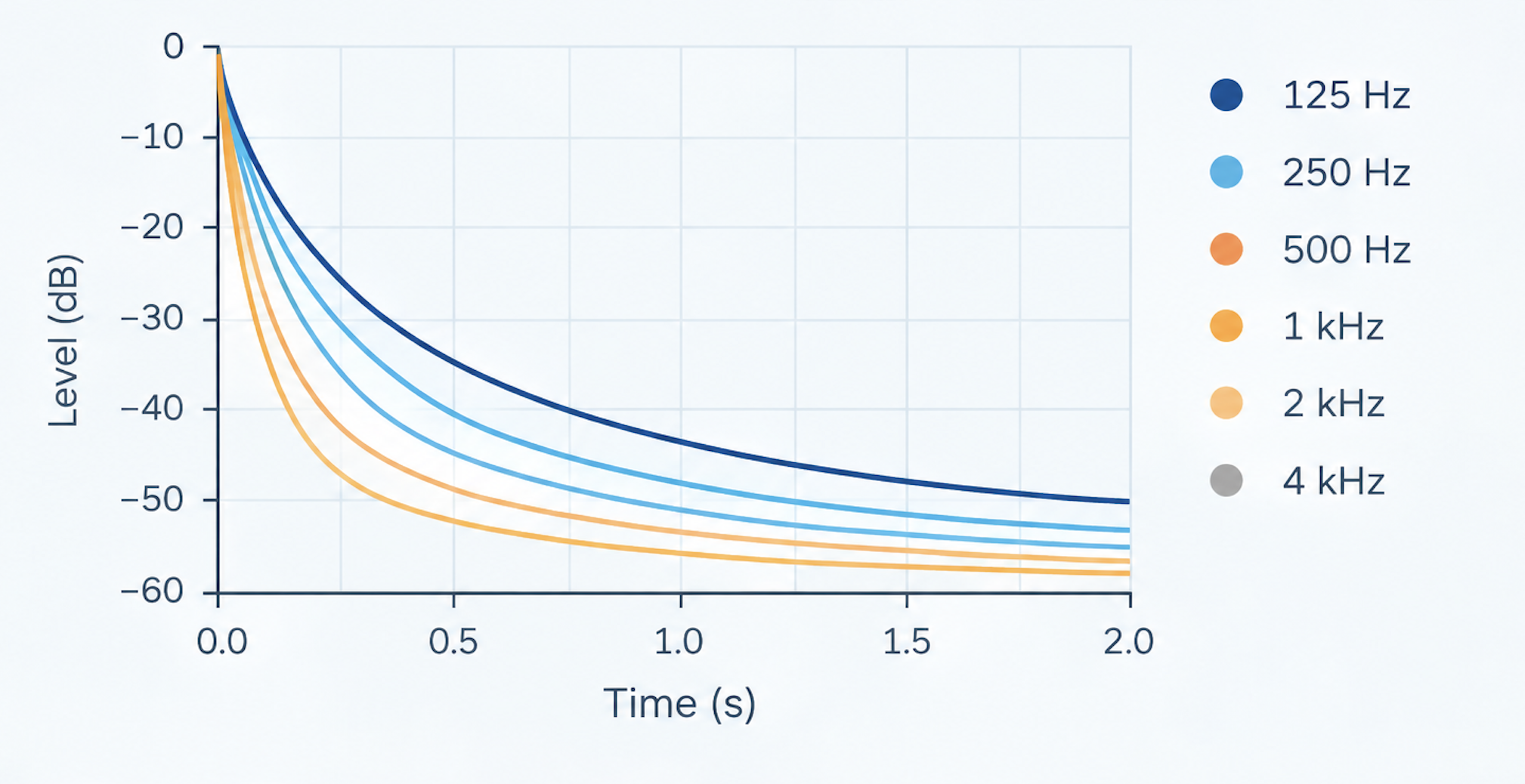
An editable Sabine-equation RT60 workbook: up to 20 surfaces with your own materials and coverage, a proposed-treatment scenario, reference target ranges by use, and current-versus-proposed RT60 by octave band with a chart. It uses the same Sabine calculation as the free RT60 Calculator on this site. What the workbook adds is an offline file you keep and edit, your own absorption coefficients, and a before/after scenario.
Built for: Producers and small studio owners who want to estimate reverberation time before and after treatment.
What you get
- Editable worksheet (Excel / Google Sheets)
- PDF guide
- Quickstart README
Why it's useful
- Sabine RT60 per octave band (125 Hz to 4 kHz): RT60 = 0.161 x V / A
- Up to 20 surfaces, each with its own material and coverage percentage
- Editable materials library: 14 generic materials supplied, 16 empty rows for your own manufacturer's coefficients
- Current room versus proposed treatment by band (up to 8 treatment rows, modelled as covering existing surface)
- Reference target range by use (mixing, mastering, vocal booth, podcast, general listening), editable
- Broadband RT60, Schroeder frequency and a chart of current, proposed and target
- Works offline in Excel, Google Sheets or LibreOffice
Built on the same calculation method as our free RT60 Calculator, packaged as an editable workbook. Paying does not make the result more accurate; it gives you a file you keep, with a materials table you can extend, room for up to 20 surfaces, and a current-versus-proposed estimate driven by the treatment you enter.
Free web tool or downloadable workbook?
| What you get | Free web tool | Downloadable workbook |
|---|---|---|
| RT60 by octave band, 125 Hz to 4 kHz (Sabine) | Yes | Yes |
| Broadband RT60 and Schroeder frequency | Yes | Yes |
| Room volume worked out from length, width and height | Yes | Yes |
| Absorbing materials to choose from | 9, fixed | 14, in a table you can edit |
| Add your own materials or manufacturer coefficients | No | Yes |
| Surfaces in one room | Up to 6 | Up to 20 |
| Current room against a proposed treatment | Yes, with suggested treatment | Yes, using treatment you enter |
| Chart of RT60 by band | Yes, interactive | Yes, current against proposed, in Excel |
| Chart of what each surface contributes | Yes | No |
| Reference RT60 target ranges by use | No | Yes |
| Keep your own copy, work offline, change the formulas | No | Yes |
| PDF guide to reading the result | No | Yes |
Full file manifest
smt-rt60-calculator-v1.1-worksheet.xlsxsmt-rt60-calculator-v1.1-guide.pdfREADME.md
Compatibility
- Microsoft Excel (2016 or later) or Google Sheets
- Works on Windows, Mac, and in-browser via Google Sheets — no installation required
See the real formulas and assumptions behind this calculator on the methodology page.
What this does not do
- The same Sabine calculation as the free RT60 Calculator on this site: this workbook is not a more accurate method, it is an editable offline file with your own materials and a before/after scenario
- Sabine assumes fairly even absorption distribution, so very live or very dead rooms are predicted less precisely, and small rooms are not diffuse in the bass
- The materials table is generic. For a specific product, use its manufacturer-published coefficients
- Does not calculate speech intelligibility (STI) or other advanced room-acoustic metrics
Frequently asked questions
What's a 'good' RT60 for my room?
It depends on use. The workbook includes editable reference ranges for mixing, mastering, vocal booth, podcast and general listening. They are commonly cited starting points, not a standard.
Can I add my own materials?
Yes. The Materials sheet is an ordinary table with 16 empty rows. Add coefficients from a manufacturer's data sheet and pick the material from the dropdown on the RT60 sheet.
How is the 'proposed treatment' estimated?
Each treatment row covers part of an existing surface, so the workbook adds only the difference in absorption between the treatment and the material it covers. It is a planning estimate from generic coefficients, not a measurement.
Why does it mention small rooms?
Sabine's equation gets less reliable in small, non-diffuse rooms, especially below the Schroeder frequency. The workbook shows that frequency and a note so you don't over-trust a single number.
- Instant digital download
- One-time purchase — no subscription
- Secure checkout via Mollie
- Excel / Google Sheets compatible
- Use with your own room dimensions